
Learn how to easily update and customize SMS and email automated notification templates in LuminEd ERP. Master dynamic placeholders to personalize school alerts today.
In a busy school environment, effective communication is everything. Whether it’s alerting a parent about a student’s absence, sharing exam results, or sending fee reminders, the messages your school sends should reflect your institution's voice.
LuminEd ERP automates these everyday communications via SMS and Email, saving your staff hours of manual work. Best of all, you have complete control over what these messages say.
In this guide, we’ll show you exactly how to update your automated notification templates to suit your school's unique needs.
All of your automated alert templates are centrally located in your system configuration panel.
Here, you will find a clean, organized master list of all available automated notification templates used across your campus (such as Admission confirmation, Fee submission, and Attendance alerts).
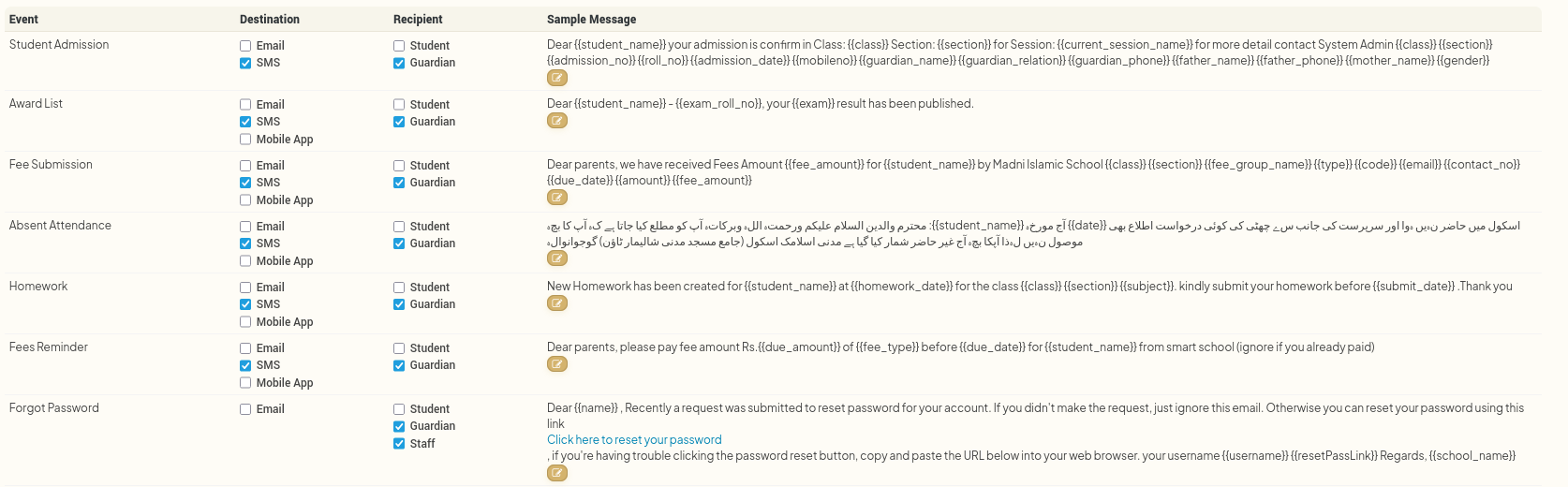
Let's use a practical example: updating the automated message parents receive when a student is marked absent.

When editing a template, you will notice special text strings wrapped in double curly brackets, such as {{student_name}}. These are Dynamic Placeholders.
What is a dynamic placeholder? It is a smart tag that the system automatically fills with the correct, real-time data right before the message is sent. For example, if a message is triggered for a student named Ahmad,
{{student_name}}will instantly transform into Ahmad in the actual SMS or email.
LuminEd ERP provides a powerful variety of dynamic fields listed directly below the template editor box for your reference. You can seamlessly insert these into your text:
{{student_name}}, {{mobileno}}, {{email}}, {{date}}, {{current_session_name}}{{father_name}}, {{father_phone}}, {{father_occupation}}{{mother_name}}, {{mother_phone}}{{guardian_name}}, {{guardian_phone}}, {{guardian_occupation}}, {{guardian_email}}{{time_from}}, {{time_to}}, {{subject_name}}, {{subject_code}}, {{subject_type}}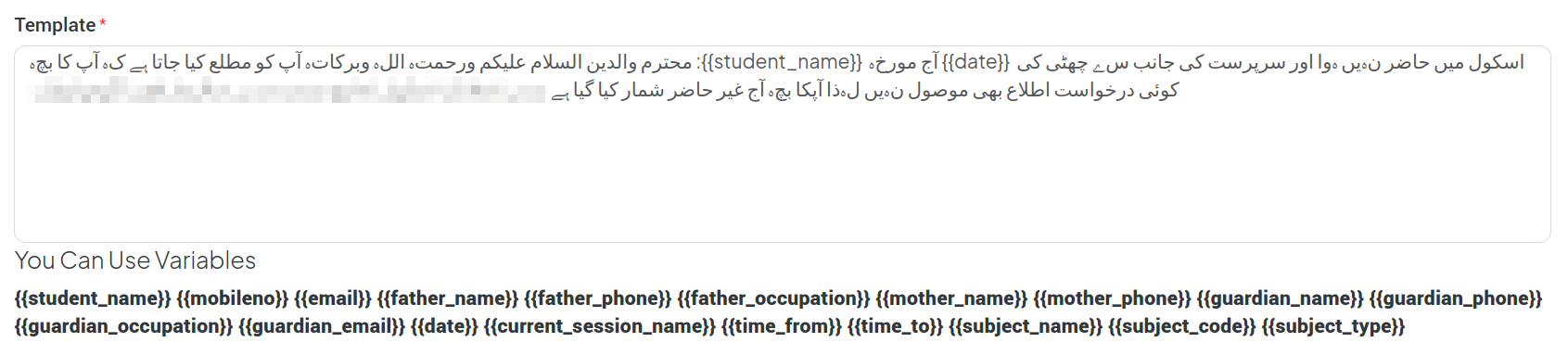
Now you can write your text. You are free to mix standard text with your dynamic placeholders to build the perfect notification.
"Dear
{{father_name}}, this is to inform you that your child{{student_name}}was marked absent on{{date}}during the session{{current_session_name}}. Please contact the school office if this was unexpected."
Make sure the placeholders are typed exactly as shown (including the double brackets) so the system reads them perfectly.
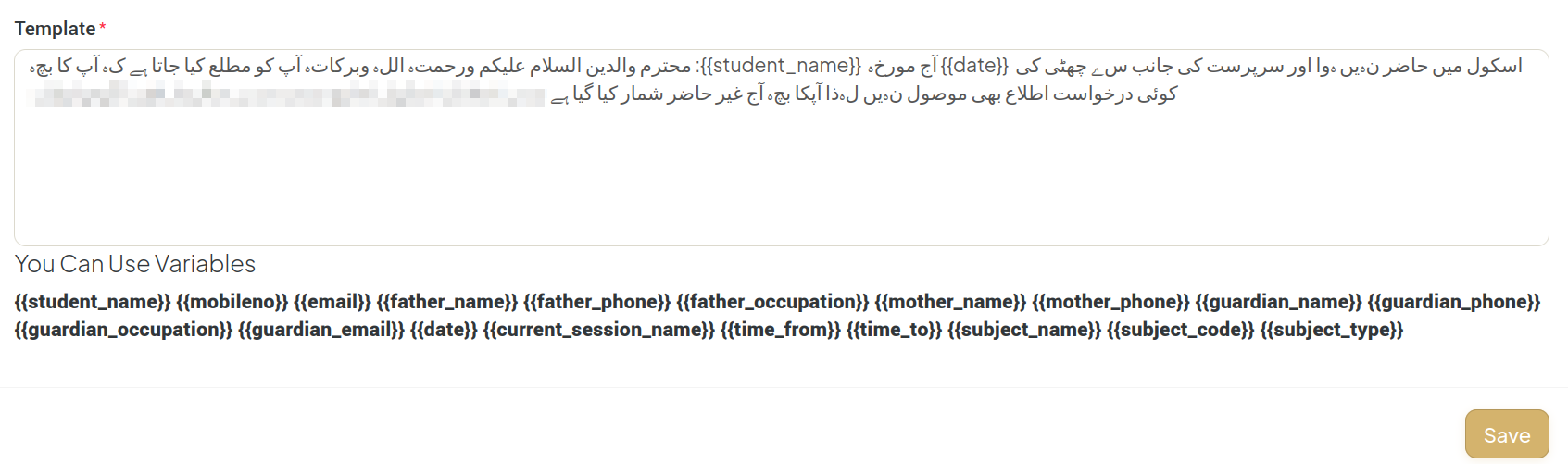
Once you are fully satisfied with the tone, wording, and placeholders in your message:
That’s it! The system will instantly lock in your updates. The very next time a student is marked absent, LuminEd ERP will pull your brand-new, customized template and send it out automatically.

 Jamshaid Yousaf
Jun 29, 2025
 Jamshaid Yousaf
Jun 29, 2025
 Jamshaid Yousaf
Jul 04, 2026
 Jamshaid Yousaf
Jul 04, 2026
 Jamshaid Yousaf
Aug 14, 2026


By clicking the button, you are agreeing with our Term & Conditions